Introduction
BHTune is an open-source PID control-loop auto-tuner for industrial DCS/PLC systems. It runs a Modified Relay Feedback Test (MRFT) against a live control loop, then calculates — and, with explicit confirmation, writes back — tuned PID constants for three levels of aggressiveness (Aggressive, Moderate, Sluggish), so an engineer can pick the one that fits the process.
It targets Yokogawa CentumVP, Honeywell Experion, Schneider Modicon, and Allen-Bradley PlantPAx control systems out of the box, with more addable via a plain, contributable TOML template catalog — no code changes required to support a new DCS/PLC family.
Design principles
- Runs anywhere. No Windows or COM/DCOM dependency in BHTune itself. OPC DA communication
goes over the network to a small Windows-side gateway,
opcda-bridge— BHTune runs on Linux, macOS, or Windows. - Has no proprietary dependencies. Every dependency is open-source, machine-enforced in CI via
cargo deny. There is no licensed UI toolkit, no licensed OPC SDK, and no hardware/software license dongle. - Has two faces, one engine. A headless CLI for scheduled/scripted tuning and a browser-based web GUI for interactive use, both built on the same tuning engine and the same SQLite database — see CLI quickstart and Web GUI quickstart, plus the Web UI visual reference.
- Stores everything in a plain, open SQLite database. No encryption, no usage gating, no license dongle — just a single database file anyone can inspect with any SQLite tool.
- Is built to be extended. OPC DA is the primary, supported driver for v1. The tag I/O
interface (the
Drivertrait) is deliberately protocol-agnostic, so OPC UA and Modbus drivers can be added later without touching the tuning engine itself.
What is MRFT?
See MRFT concepts for a plain-language explanation of what a Modified Relay Feedback Test actually does to a loop, and why it's a safer, faster alternative to open-loop step testing.
Where to go next
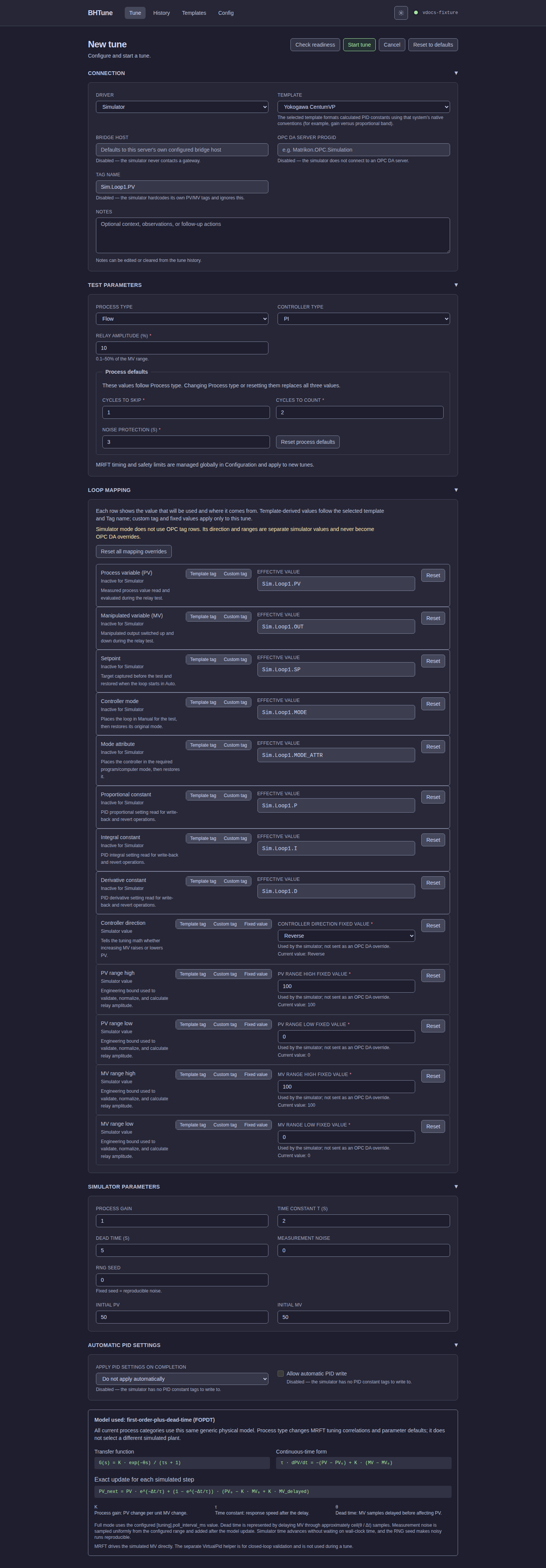
- New to BHTune? Start with Installation, then either the CLI quickstart or the Web GUI quickstart — both walk through a real tune against the built-in simulator, no plant connection required. For screen-by-screen coverage, continue to the Web UI visual reference.
- Tuning against a real DCS/PLC? See DCS/PLC templates for the tag-mapping system, and Safety for what BHTune does — and refuses to do — around a live, running process.
- Want to add support for a control system BHTune doesn't cover yet? See DCS/PLC templates — contributions are welcome.