Public simulator demo
BHTune Demo mode is a restricted web experience for trying the tuning workflow without connecting to a DCS, PLC, OPC DA gateway, or live control loop. It uses the same MRFT engine as Full mode, but every accepted run uses the in-process simulator and the server enforces the restriction before any driver or plant configuration is opened.
What the demo can do
Demo mode provides:
- the built-in, read-only template catalog;
- bounded simulator settings and process/controller choices;
- one simulator tune per visitor at a time;
- live PV/MV progress over Server-Sent Events;
- private run history with detail, duplication, export, cancellation, and deletion.
It does not provide OPC server discovery, tag browsing or reads, configuration changes, template mutation, notes, drafts stored on the server, PID write-back, API documentation, or any other live-plant operation. Demo requests containing those fields are rejected rather than silently ignored.
The Demo tune page is clearly labeled and keeps the controls that affect simulator behavior: visitors can choose a built-in template, process/controller type, relay and cycle settings, noise protection, and bounded simulator physics. Controls that require live equipment are omitted from the page rather than presented as no-op options. The simulator model remains generic: every current process category uses the same FOPDT physical model, while process type changes tuning correlations and defaults. The simulator model guide documents its transfer function, exact discrete update, dead-time queue, noise, and simulated timing. The selected template formats calculated PID constants using that system's native conventions (for example, gain versus proportional band). The interface presents the simulator boundary, history limit, and session lifetime in one persistent Demo notice rather than repeating the same warning on each page.
Every run is stored with the stable display identity Simulator demo. It is not a plant tag
and does not change the simulator driver's internal Sim.PV and Sim.MV tags.
Visual workflow
The visual Web UI reference explains the shared shell and Full-mode screens in detail. These four Demo captures show the restricted path end to end; the operational and security requirements below remain authoritative if images are unavailable.
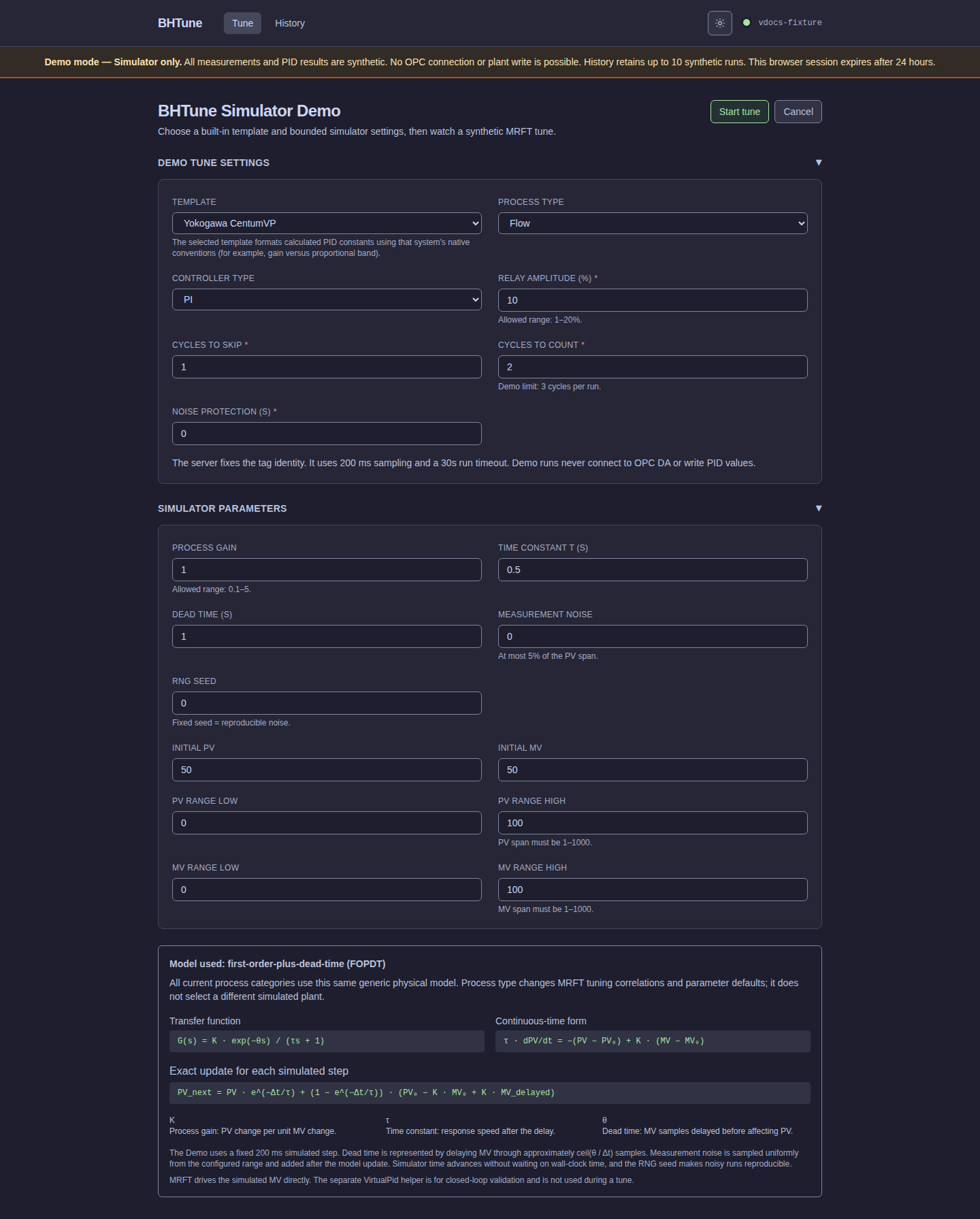
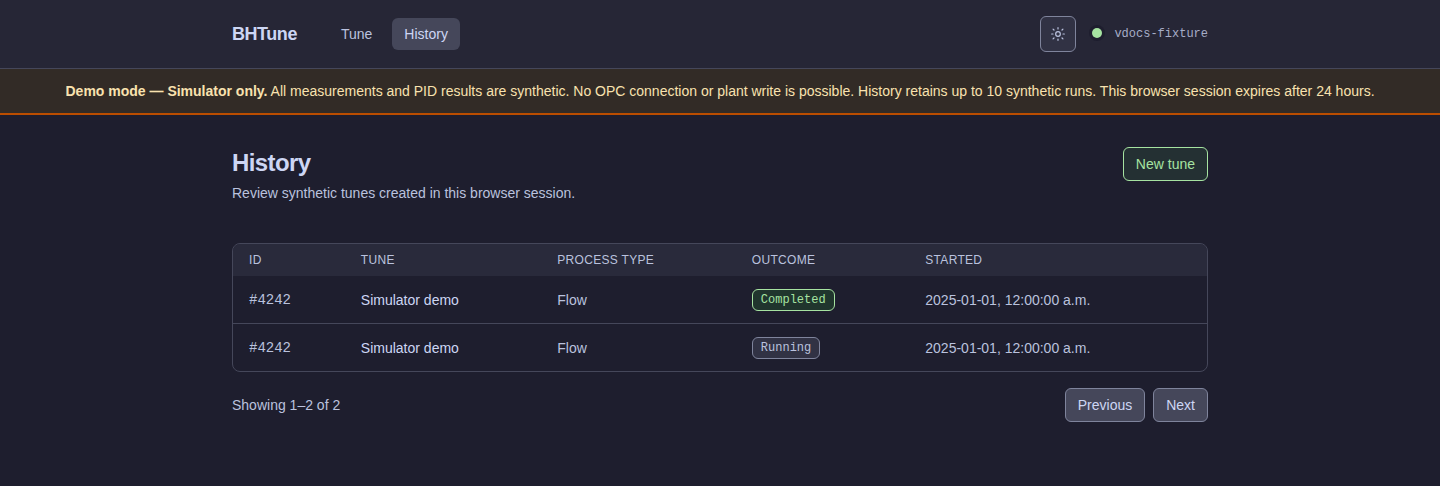
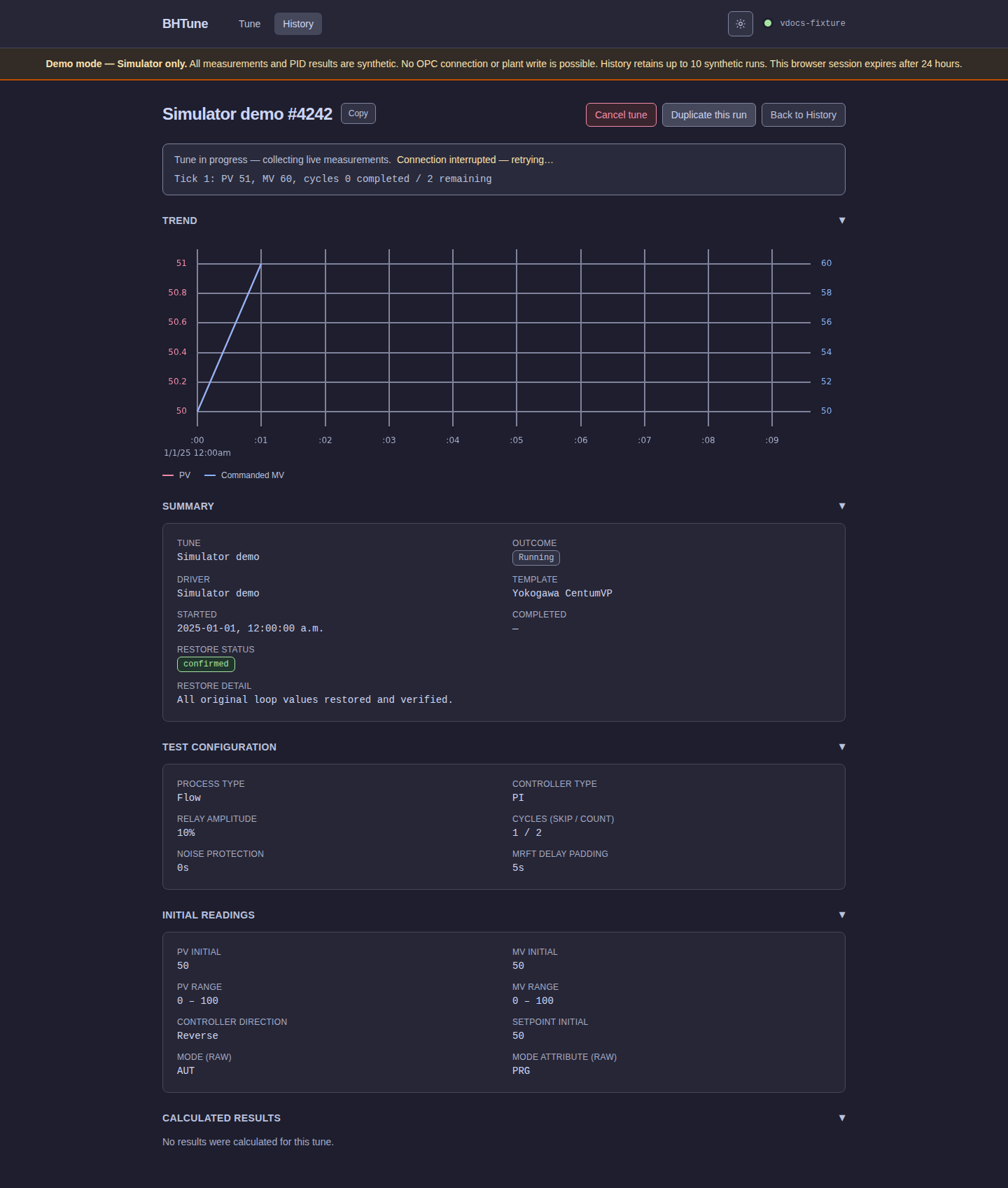
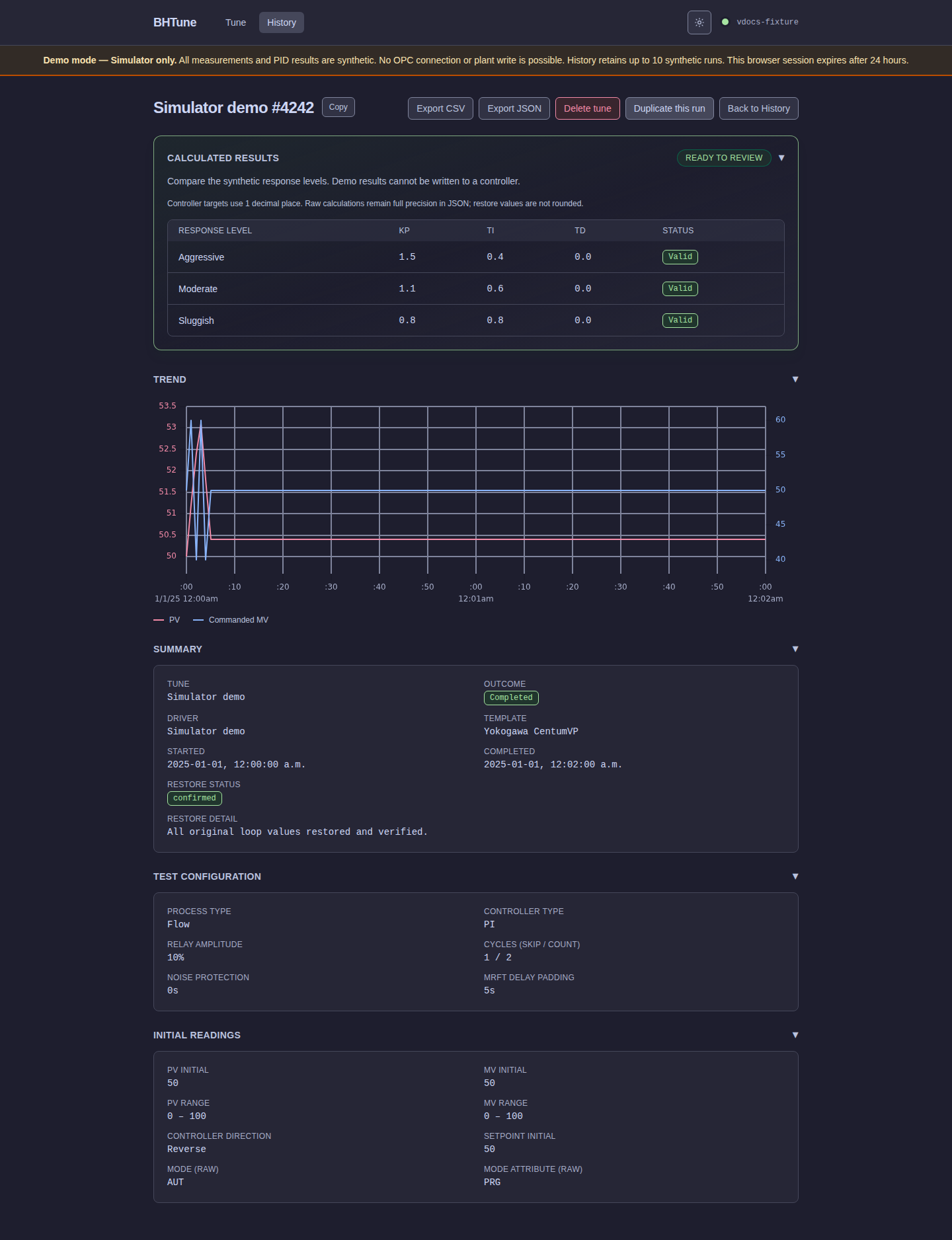
See Web UI overview and Runs and history for the shared navigation and run-detail behavior.
Privacy and identity
The demo uses an opaque, host-only __Host-bhtune_demo_session cookie to separate visitors.
The cookie is an isolation token, not a user account: it does not identify a person, provide
authentication, or support account recovery. Only a one-way hash of the token is stored.
The cookie is secure, HttpOnly, SameSite=Strict, scoped to /, and expires after 24 hours.
A session database row is created only when the browser starts its first accepted run. Demo
sessions and their owned runs are removed after expiry, and the browser's local form draft
also expires after 24 hours.
Sharing a browser profile or its cookies shares the same demo session and its history. Use a
private window or a separate browser profile when two people need independent demo histories.
Run identifiers are not authorization credentials: every history, stream, cancel, export, and
delete operation is scoped to the current session, and another session receives the same 404
response as an unknown run.
Resource limits
The public service applies bounded defaults and validated ceilings to prevent one visitor from turning a demonstration into an unbounded workload:
| Control | Limit |
|---|---|
| Active runs per visitor | 1 |
| Active runs globally | 8 |
| Accepted starts per token and client IP | 6 per 10 minutes |
| Accepted runs per browser session | 10 |
| Retained terminal runs per visitor | 10 |
| Current Demo-owned run rows | 5,000 |
| Simulator poll interval | 200 ms |
| Run timeout | 30 seconds |
| JSON request body | 32 KiB |
| SSE connections per visitor/global | 2 / 32 |
| SSE lifetime | 45 seconds |
| Ordinary concurrent requests | 64 |
| Ordinary request timeout | 10 seconds |
These are fixed application-owned limits, not public tuning controls. A deployment configuration may declare the same values so startup validation can detect drift, but it cannot weaken or expand the contract. The controls are fairness and availability safeguards, not a promise of volumetric denial-of-service protection. Network-level filtering, TLS termination, and upstream abuse controls remain necessary for an Internet-facing deployment.
Session and history lifecycle
The server assigns visitor ownership in the initial run insert; database constraints and immutable ownership prevent an intermediate unowned Demo row from being exposed. Every history, sample, stream, and deletion lookup stays owner-scoped.
Startup marks abandoned simulator runs terminal without contacting a gateway. Cleanup removes expired/excess visitor history but skips active runs. Admission and streaming coordination also use in-memory state, so sharing the database between multiple replicas does not make quotas safe; one replica is part of the deployment contract.
Simulator contract
The capability document and server-side request validator use the same bounded simulator contract:
| Input | Default | Accepted values |
|---|---|---|
| Relay amplitude | 10% | 1–20% |
| Cycles to skip / count | 1 / 2 | 0–2 / 1–3 |
| Noise protection | 0 s | 0–3 s |
| Process gain | 1.0 | 0.1–5.0 |
| Time constant | 0.5 s | 0.05–5 s |
| Dead time | 1.0 s | 0–2 s |
| PV/MV range | 0–100 | endpoints -1000–1000; ordered span 1–1000 |
| Initial PV/MV | 50 / 50 | within the corresponding configured range |
| Measurement noise | 0 | 0–5% of the configured PV span |
| Random seed | 0 | 0–2,147,483,647 |
Demo uses Reverse controller action by default as a simple, consistent convention.
Self-hosting requirements
Run Demo mode as a dedicated single-replica service with a dedicated SQLite database. Do not point it at a Full-mode database, a production configuration, or an OPC gateway. Keep the application behind the intended reverse proxy and publish only the selected host port. State-changing browser requests require the exact configured origin. Loopback HTTP is suitable for local development; non-loopback access must use the configured HTTPS reverse-proxy origin, not the application's bound HTTP port directly.
The server trusts a client IP only from the configured immediate proxy peer and only through
the dedicated X-BHTune-Client-IP header. The reverse proxy must delete any inbound copy and
overwrite it with the address it observed. Direct requests, malformed values, duplicate
headers, and forwarding chains must not be treated as the visitor's original address. Quotas
use an IPv4 address directly and group IPv6 clients by their /64 network.
Use an immutable container digest for deployment rather than a mutable tag. Keep one local previous-image reference and a timestamped database backup so a failed migration or local health check can restore both the executable and its data. A public ingress failure with a healthy local backend is a proxy or network incident, not a reason to discard healthy application state. The image's built-in health check is a loopback HTTP liveness probe; it does not replace database integrity, migration-preservation, or public-ingress checks.
Hosted image publication and deployment handoff
For a qualifying push to main, the Docker image workflow publishes
ghcr.io/bytehound-labs/bhtune:sha-<full-commit-SHA> and the edge tag, and creates a
build-provenance attestation for the image. The Woodpecker deployment pipeline
waits for the matching full-commit tag in GHCR, resolves its manifest to a sha256 digest,
and verifies the provenance certificate and image subject against the BHTune repository, the
main-branch Docker workflow, the triggering commit, and that digest. Only after verification
does it invoke the separate FrontEnd repository's bhtune-demo/deploy.sh wrapper over SSH,
passing the immutable ghcr.io/bytehound-labs/bhtune@sha256:<digest> reference rather than a
mutable tag.
The deployment runner downloads a pinned, checksum-verified GitHub CLI release for this verification instead of relying on the older distribution-package version in its Alpine base image; this keeps Sigstore trust-root support reproducible across runner updates. The verifier waits for the attestation record after the image tag appears because GHCR image publication and GitHub attestation indexing are eventually consistent. The Docker workflow and Woodpecker deployment definition are both image-triggering paths: changing either one publishes a matching immutable commit image before deployment, preventing a deployment-only fix from being stranded without a corresponding GHCR artifact.
Image publication and deployment do not activate public ingress by default. The public Caddy route is a deliberate deployment activation step, not an application default. DNS changes, firewall exposure, Cloudflare Tunnel configuration, Caddy activation, and Internet rollout are separate infrastructure operations; this guide documents the image path without configuring or enabling any of them.
Security boundary
Demo mode is a server-side route and validation boundary, not a collection of hidden browser
controls. The Demo router does not mount Full-only endpoints, and private responses use
no-store caching and no-index headers. State-changing browser requests require the exact
configured origin, and the service sends framing, content-type, referrer, resource-policy,
permissions, and content-security headers.
The browser also fails closed if the capability document is missing or malformed, so incomplete
server metadata cannot enable a broader interface or weaker client-side restrictions.
The demo is intentionally anonymous and has no accounts, CAPTCHA, multi-replica quota coordination, or remote-plant access. Treat the session cookie as bearer isolation state: anyone who obtains it can use that browser session until it expires. Do not place secrets, production data, or live controller connectivity in the Demo deployment.