Web UI overview
BHTune's browser application is served by bhtune-server. The Full and Demo modes use the
same navigation and run-history concepts, but the server decides which capabilities are
available before the frontend renders them. Full mode can connect to OPC DA and change
templates, configuration, and PID constants. Demo mode is simulator-only, visitor-private,
and intentionally omits live-plant controls.
The application shell
The header provides the primary navigation, a Catppuccin light/dark theme toggle, and a health indicator. The health indicator confirms that the BHTune HTTP service responds; it does not test an OPC DA gateway or prove that a controller is reachable.
Keyboard and screen-reader support
Form controls have associated labels, hints, and inline validation messages. Modal dialogs move focus into the dialog, keep keyboard focus within it, and return focus to the control that opened them when they close. Escape, the close button, and the backdrop dismiss a dialog when no operation is pending.
The OPC tag browser uses a keyboard-operable tree: Up and Down move between visible nodes, Home and End move to the first and last visible nodes, Left collapses or moves to the parent, and Right expands a branch or moves to its first child. Enter or Space selects an ItemID. Each branch arrow is a separate expand/collapse button that leaves tag selection unchanged, including for branch-and-item nodes. Clicking an arrow keeps keyboard focus on its tree row, so arrow-key navigation can continue. The search field offers its indexed matches as an accessible listbox.
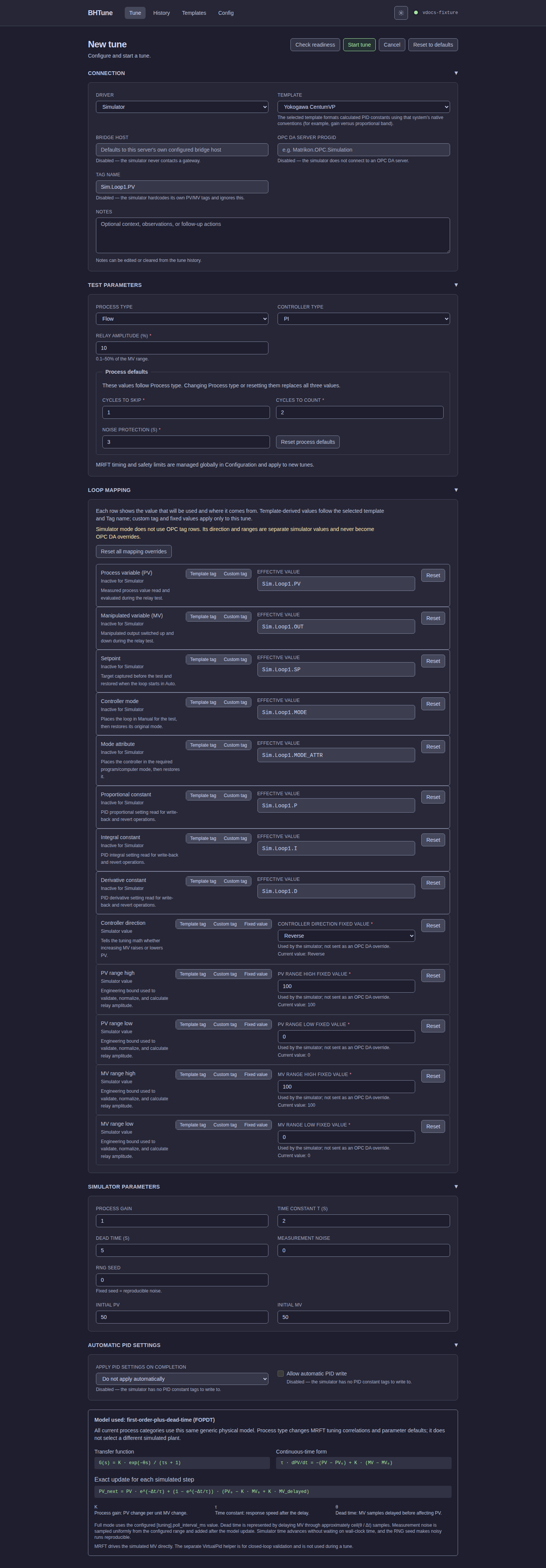
The screenshots in this guide are generated from the production SPA with fixed, sanitized fixtures. They illustrate the current layout and workflow, but the adjacent prose is the operational reference and remains complete when images are disabled. Select any image to open the full-size Pages asset.
Full mode and Demo mode
Full mode exposes the complete local/operator workflow:
- check tune readiness from the New Tune page without starting a run or writing values;
- start Simulator or OPC DA runs;
- browse OPC DA servers and tags;
- edit user-owned templates;
- change global quality and retention settings;
- review and write PID values after a run.
Demo mode exposes only bounded simulator tuning and visitor-owned run history. The Demo notice
explains the fixed policy and simulator boundary in the browser; it is not an authentication
system or a route-level substitute for the server's Demo enforcement. The Full-mode readiness
action and POST /api/runs/preflight endpoint are not available in Demo mode.
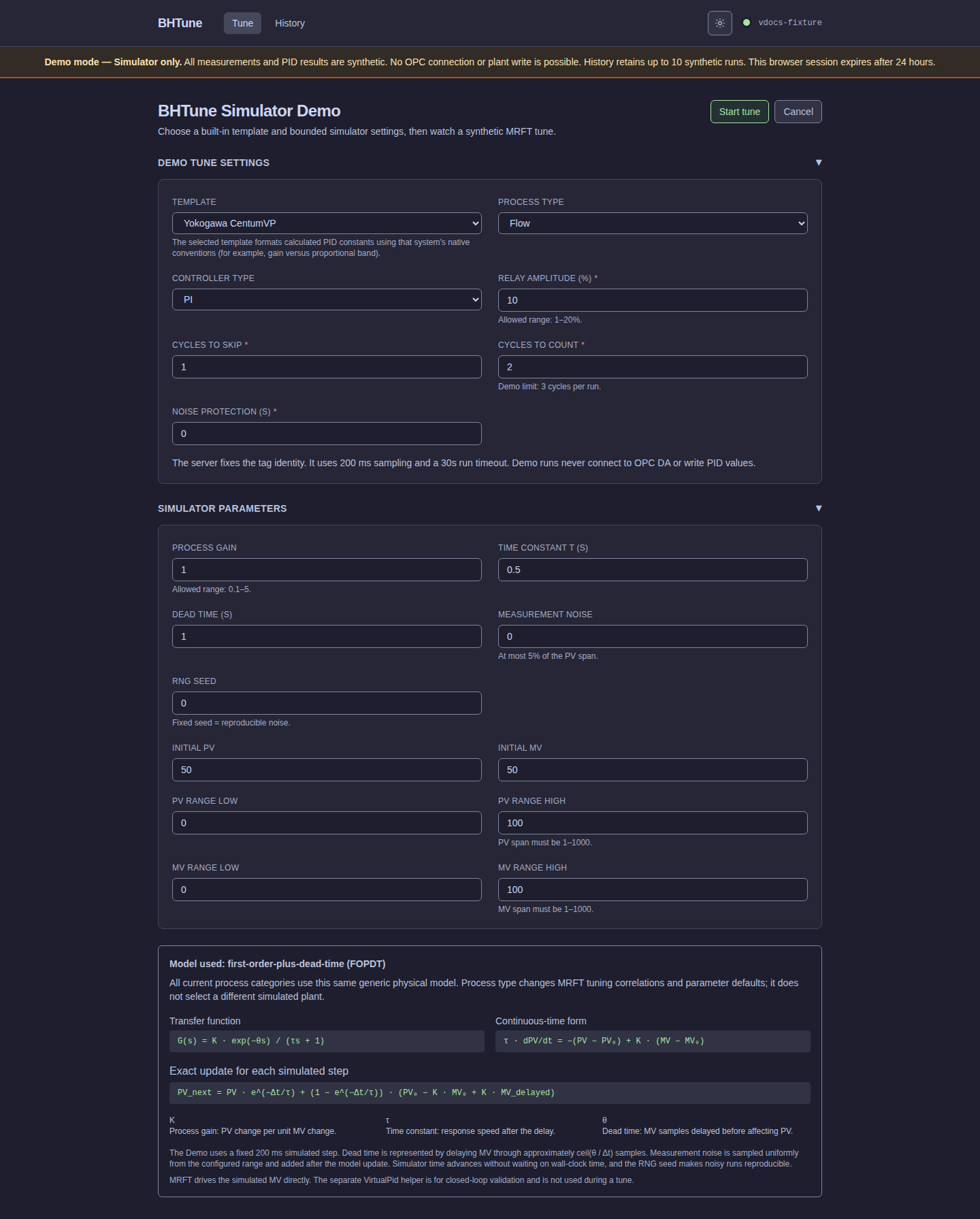
See Public simulator demo for privacy, quotas, deployment requirements, and the security boundary. Use the other pages in this section for task-focused instructions: