Starting a tune
The New Tune page at /runs/new combines connection, tag mapping, test parameters,
simulator settings, notes, and optional automatic PID write-back. The server validates the
request again when the run starts; the form's disabled states and validation messages are
convenience, not a safety boundary.
Simulator form
Choose Simulator when learning the workflow or checking a template's PID-unit conversion without a plant connection. The form keeps the same layout but disables the OPC server, bridge, tag, quality, timeout, and automatic write-back controls because the in-process simulator cannot use them. The template remains enabled because it still controls the result convention shown after the run. The Simulator parameters section includes a model-information panel describing the generic FOPDT transfer function and exact discrete update; see the simulator model guide for the full reference.
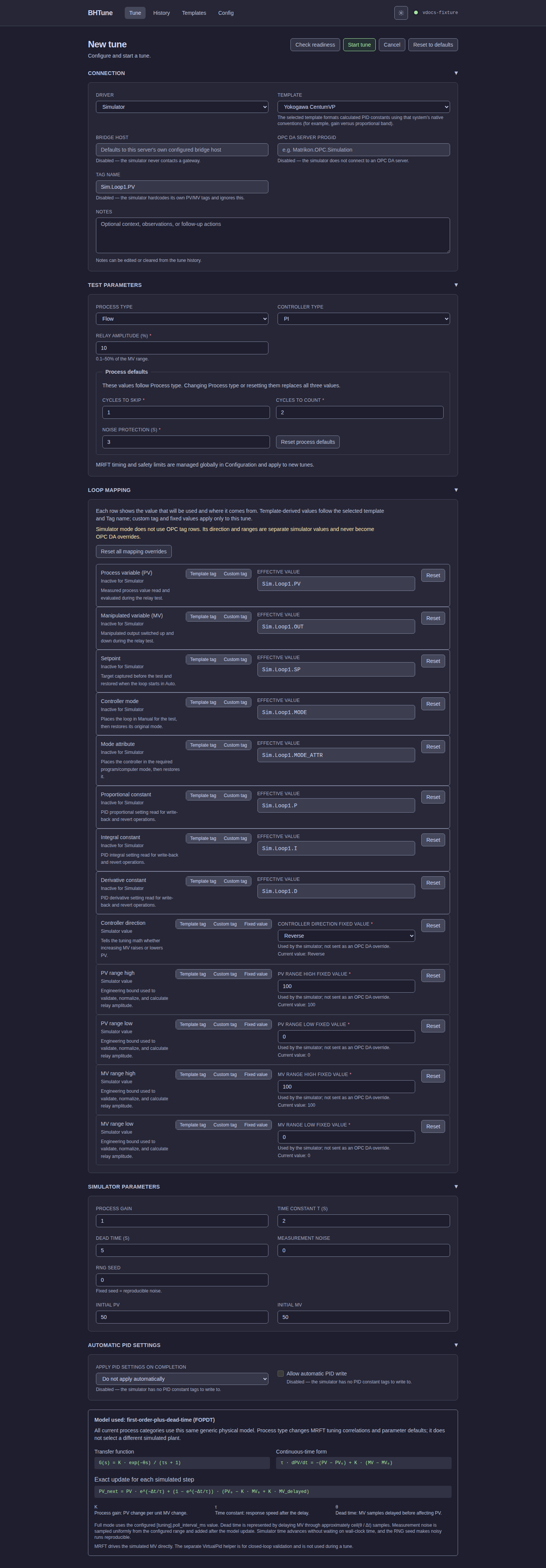
The Test parameters section shows process-type defaults for cycles to skip, cycles to count, and noise protection. Changing process type replaces those three values; Reset process defaults restores them without changing unrelated tune settings. Installation-wide MRFT delay, poll interval, operation timeout, whole-run timeout, and restore timeout are managed on the Configuration page.
OPC DA connection and mapping
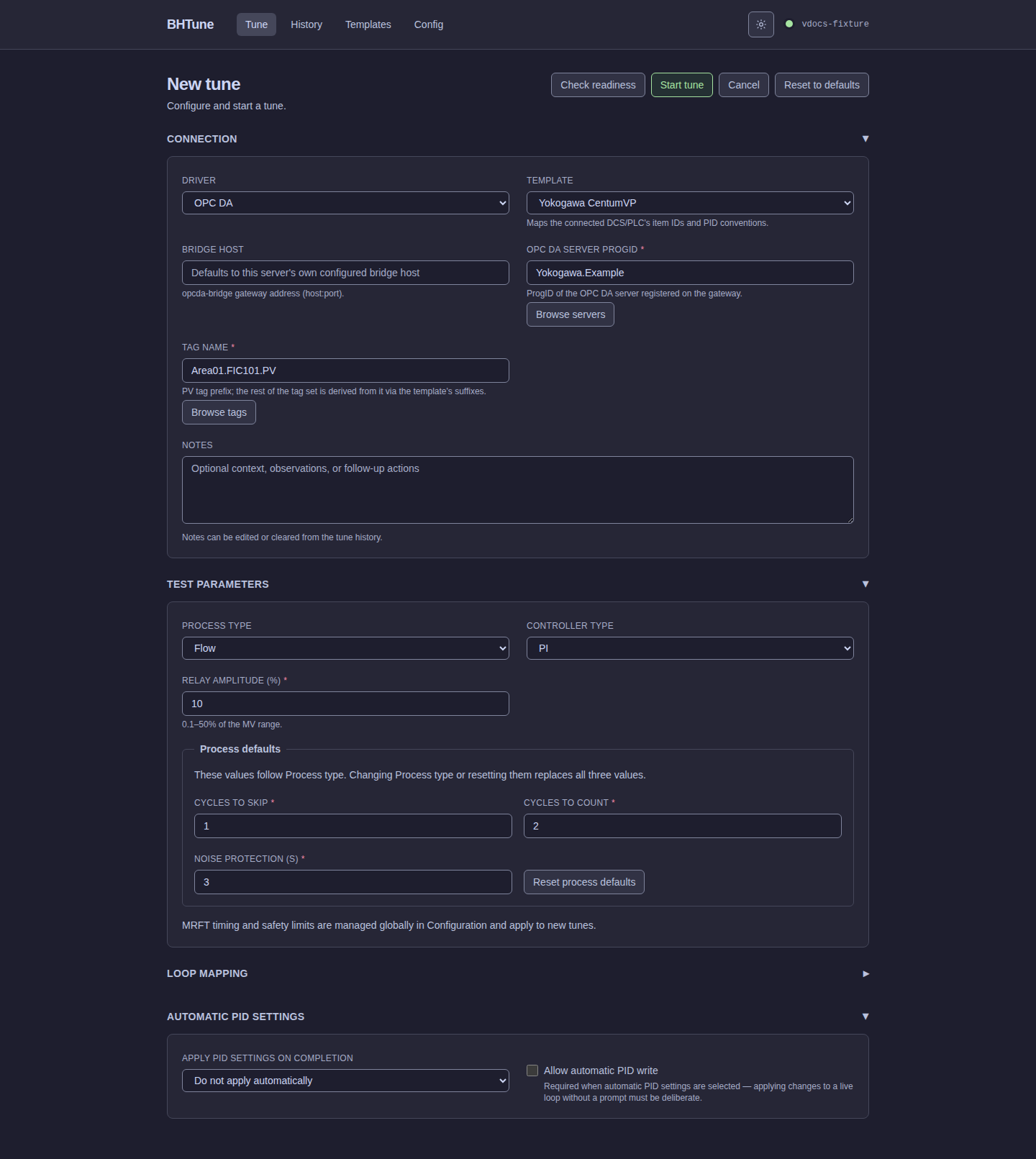
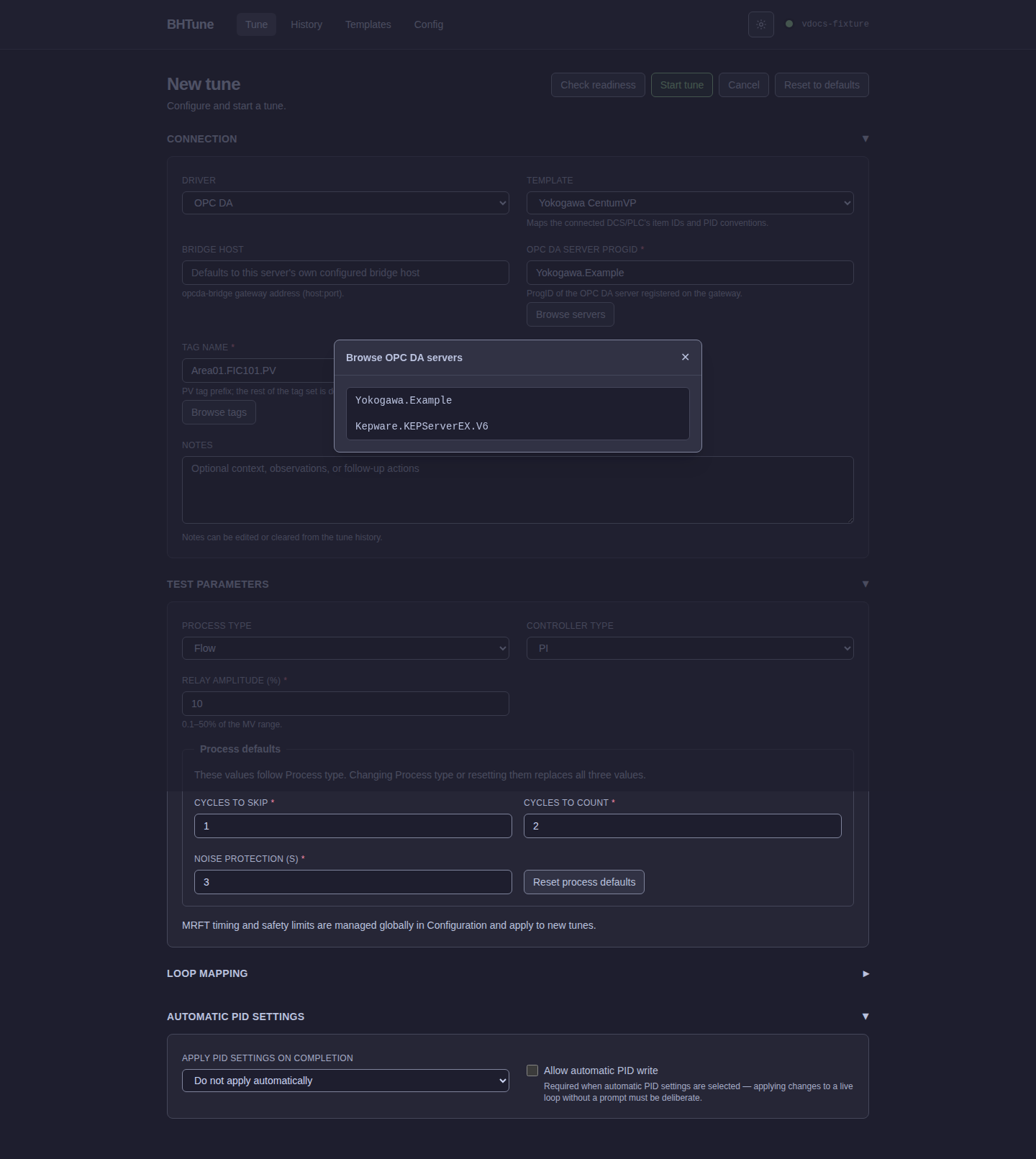
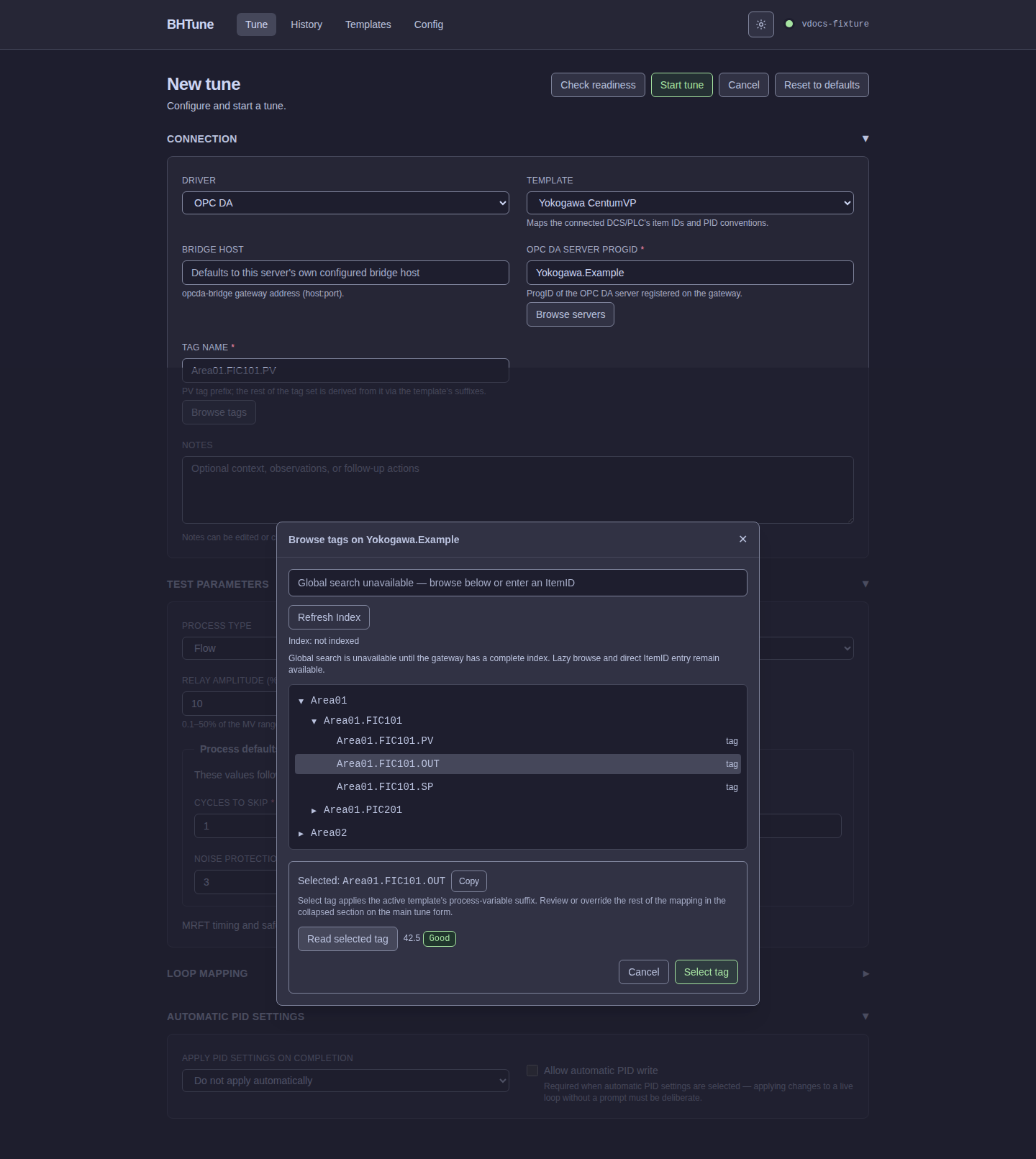
Choose OPC DA to expose the Bridge host, OPC DA server ProgID, Tag name, and Notes fields. Browse servers discovers registered ProgIDs on the configured gateway. Browse tags opens a one-level-at-a-time tree after a ProgID is present. The browser can expand dotted or slash-separated namespaces, test-read a selected item, and preserve the current path when reopened, keeping the selected row inside the tree viewport. The selected panel can copy the exact ItemID without changing the template-derived Tag name. When reopening a saved tag, a blocking loading status covers the tree and selected-tag panel until the persistent indexed breadcrumbs or bounded live-search fallback has expanded the path, selected the exact ItemID, and positioned the row in the tree viewport. The global search controls remain visible during this restoration. It uses persistent indexed breadcrumbs when available and then scopes one bounded exact live search beneath a matching server-returned root node before selecting an unrelated root item. It only uses unscoped live search when no root scope is available.
Click a branch's arrow to expand or collapse its children without changing the selected tag. This also works for branch + tag rows, which have both an ItemID and children. Click a tag label to select its ItemID; double-click an expandable label to expand or collapse its children. Double-clicking a leaf performs the same quality-checked selection as Select tag.
Read-only readiness check
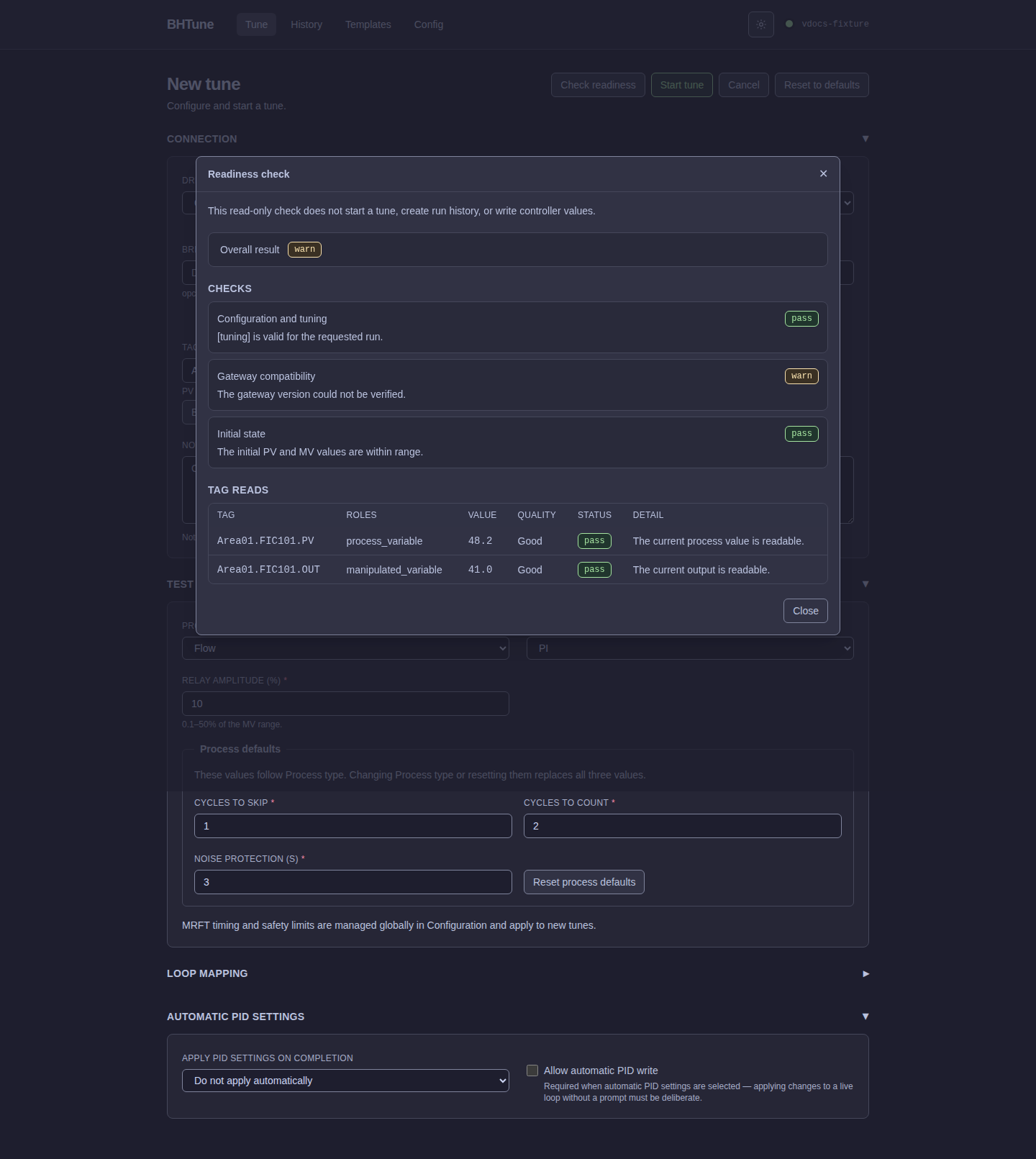
In Full mode, select Check readiness on the New Tune page to submit the current tune
request to POST /api/runs/preflight. The report shows an overall pass, warning, or failure,
each runtime check, and the values, qualities, and results for tags read during the check.
For simulator requests that need no controller reads, the report states that no tag reads were
needed.
The check does not create run history, start a tune, or write controller values. It can confirm that configured PID tags are readable, but cannot prove that a future write will be accepted. A failed or warning report does not start or cancel a run; close the report, review the findings, and use Start tune when ready. Server validation still runs when the tune starts. The endpoint and action are not available in Demo mode.
Closing Browse tags acknowledges index-error messages displayed during that visit. Reopening it on the same New Tune page and bridge/server connection does not repeat those messages, even when the gateway still reports the saved error. Index: failed remains accurate; a previous complete generation can still support search. A later failed refresh displays its error again, including an identical message. Errors that were not displayed before closing are not acknowledged. Reloading or leaving the New Tune page resets this page-local acknowledgement; gateway history and API/CLI diagnostics are not cleared.
New and recreated indexes start with automatic refresh off. Refresh Index starts a manual
build or retry without changing that choice. Click Enable Auto-refresh to opt in explicitly;
the saved choice survives browser and gateway restarts. Disable Auto-refresh stops future
scheduling without deleting indexed data or cancelling an active build. Use Cancel Indexing
to stop that build. A usable enabled index with a reported next date shows the days-and-hours
countdown. When automatic refresh is enabled but no usable index exists and no build or deletion
is active, the browser says Auto-refresh: waiting for the first index; run Refresh Index once;
start the first build manually with Refresh Index. A usable index without a reported date
shows not scheduled. An opted-out index shows no countdown. Gateway maintenance, health,
pacing, and retry protections remain in effect.
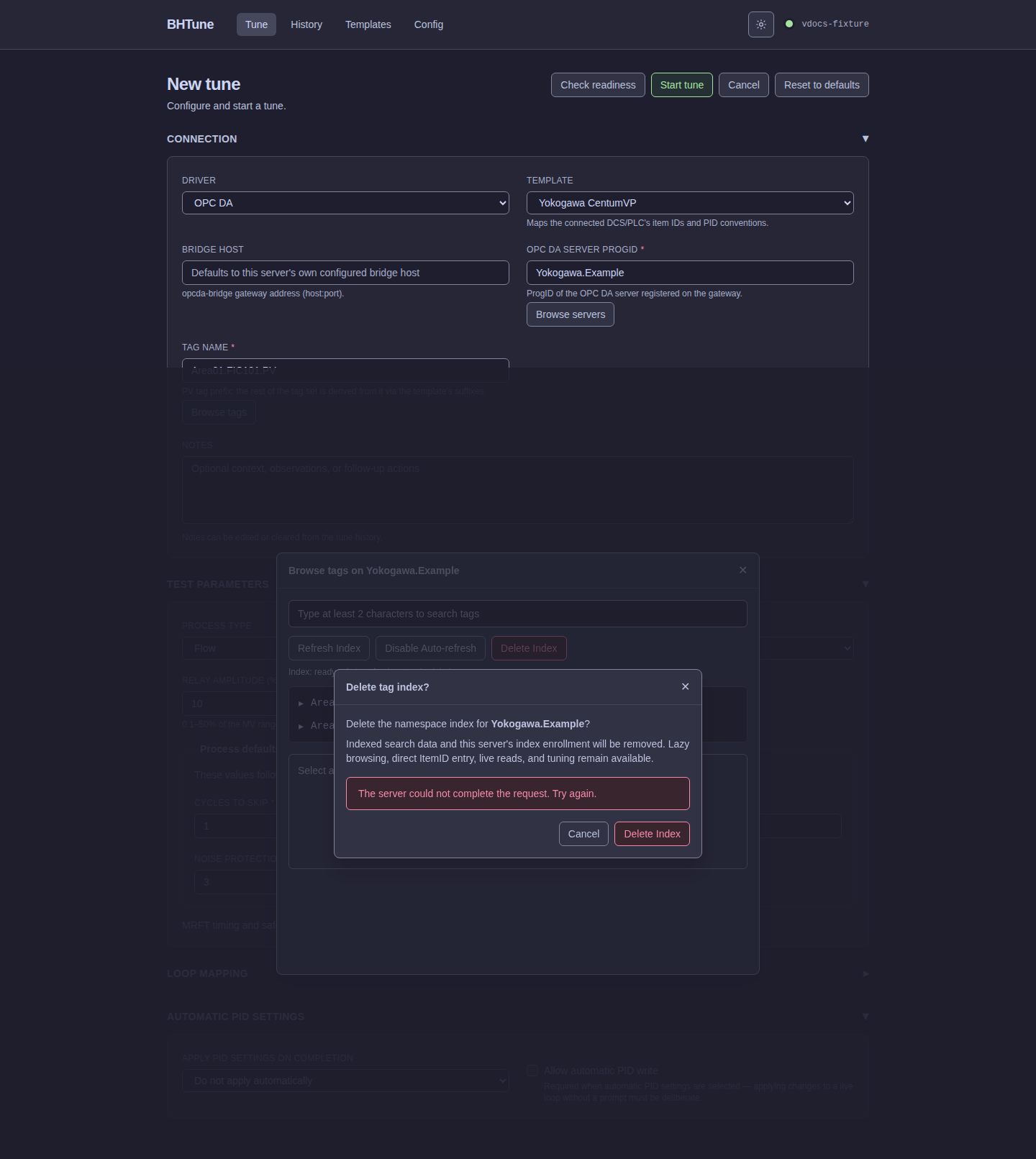
The search-index controls also expose Delete Index after a completed index build. Deletion
is intentionally destructive: the first failed request leaves the index and enrollment intact,
keeps the styled confirmation open, and shows an inline retryable error. Confirming again sends
one new request without reopening the dialog; only a successful response closes it and changes
the status to not indexed. Lazy browsing, direct ItemID entry, live reads, and tuning remain
available after the index is removed.
Template suffix replacement
Selecting any browsed item does not blindly append .PV. BHTune reads the original item first
for OPC quality verification, then replaces everything after the final ., !, or / with
the active template's process_variable_suffix, preserving the preceding path and separator.
For example, with a template whose process-variable suffix is PV:
Browsed item:  Area01.FIC101.OUT
Tag name:      Area01.FIC101.PV
This is final-component replacement, not string concatenation. The same separator-aware rule
means FCS0201/Control/OUT becomes FCS0201/Control/PV, and a tag with a ! separator keeps
that separator. The backend applies the same derivation when the run starts, so the preview is
not a second source of truth.
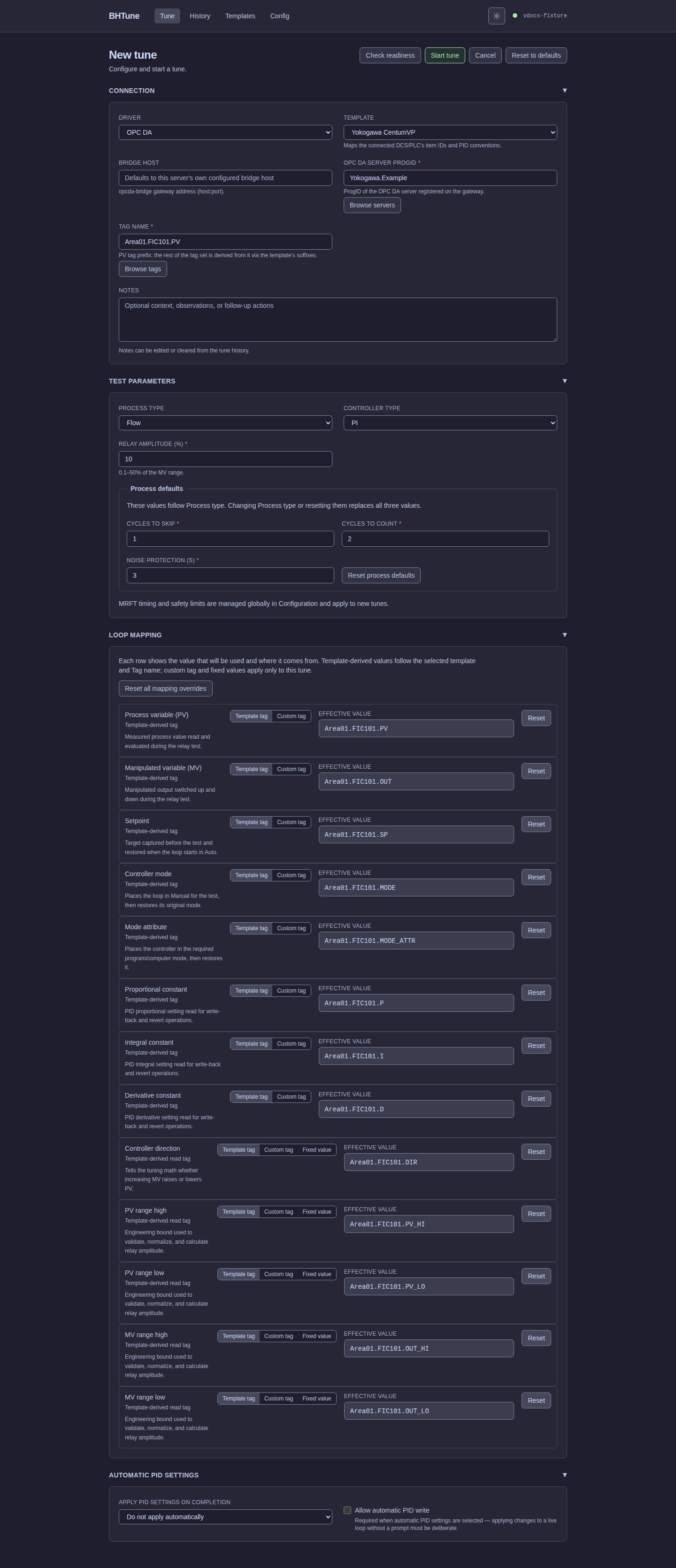
The Loop mapping section is the single place to inspect the effective tag set. Tag rows use Template tag or Custom tag sources. Direction and range rows additionally support Fixed value. Changing the base Tag name or template resets Custom tag sources and preserves Fixed value choices. Use a row's Reset or Reset all mapping overrides action to return to template-derived values.
The browser's Read selected tag action displays value and quality. Good quality proceeds
immediately. Uncertain or Bad quality requires an explicit choice to select another item or
continue; starting a tune still applies the server's normal quality safeguards.
Drafts, notes, and automatic PID writes
Every editable field except Notes is saved as the app-wide New Tune draft, including values belonging to the inactive driver. Notes intentionally start blank after reload so operator context is not copied into another tune. Relay amplitude is required; if an older or cleared saved draft has no relay-amplitude value, the New Tune form restores its built-in 10% default. Duplicate this run takes precedence over the saved draft and newest-run fallback; Reset to defaults replaces the draft with built-in defaults.
Notes are optional run metadata and can be edited or cleared from run detail. Automatic PID write-back is available only for an eligible OPC DA run and requires explicit confirmation; reviewing or writing calculated results after completion is documented in Runs and history.