Templates and configuration
Templates define the tag suffixes, raw mode values, and PID unit conventions used to turn a single process-variable tag into a complete loop mapping. Configuration controls installation- wide quality and retention behavior plus MRFT timing and safety values.
Templates
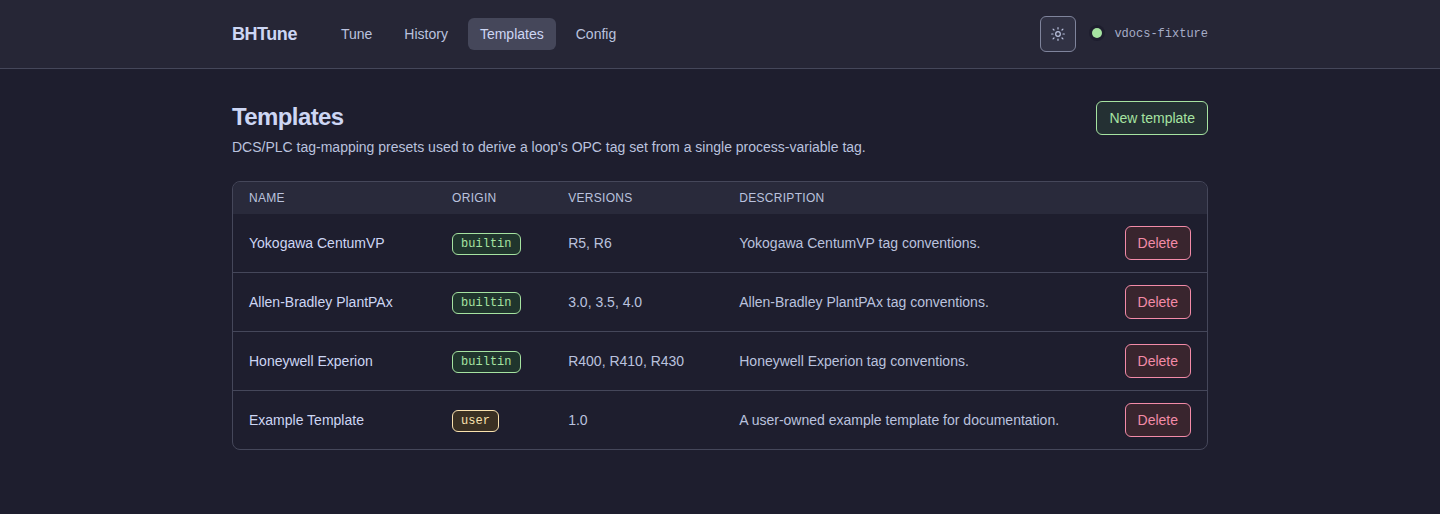
The template list shows built-in, catalog, and user-owned templates. Built-in and catalog rows are re-seeded from their source on server startup; only user-owned templates can be edited in place.
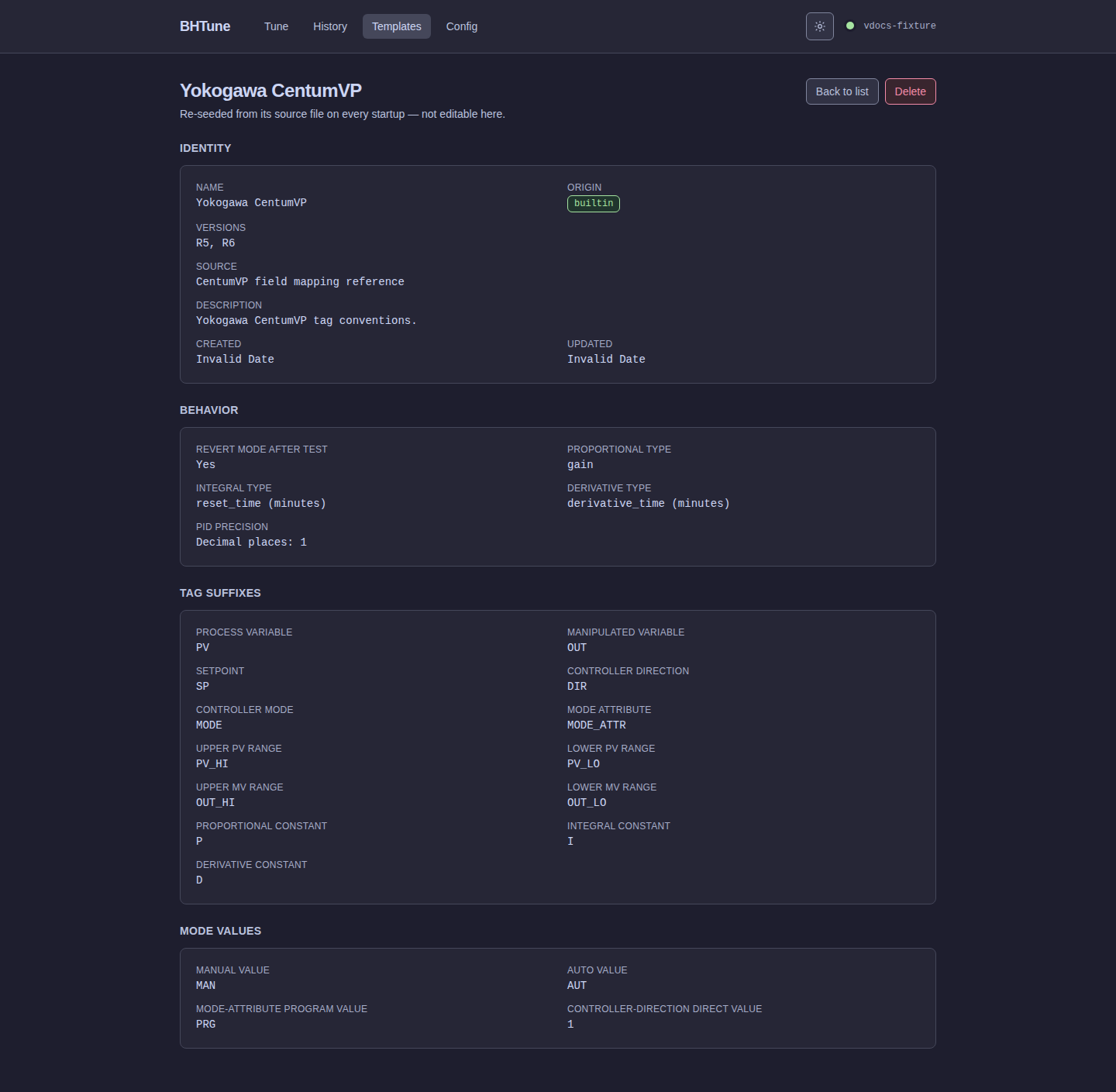
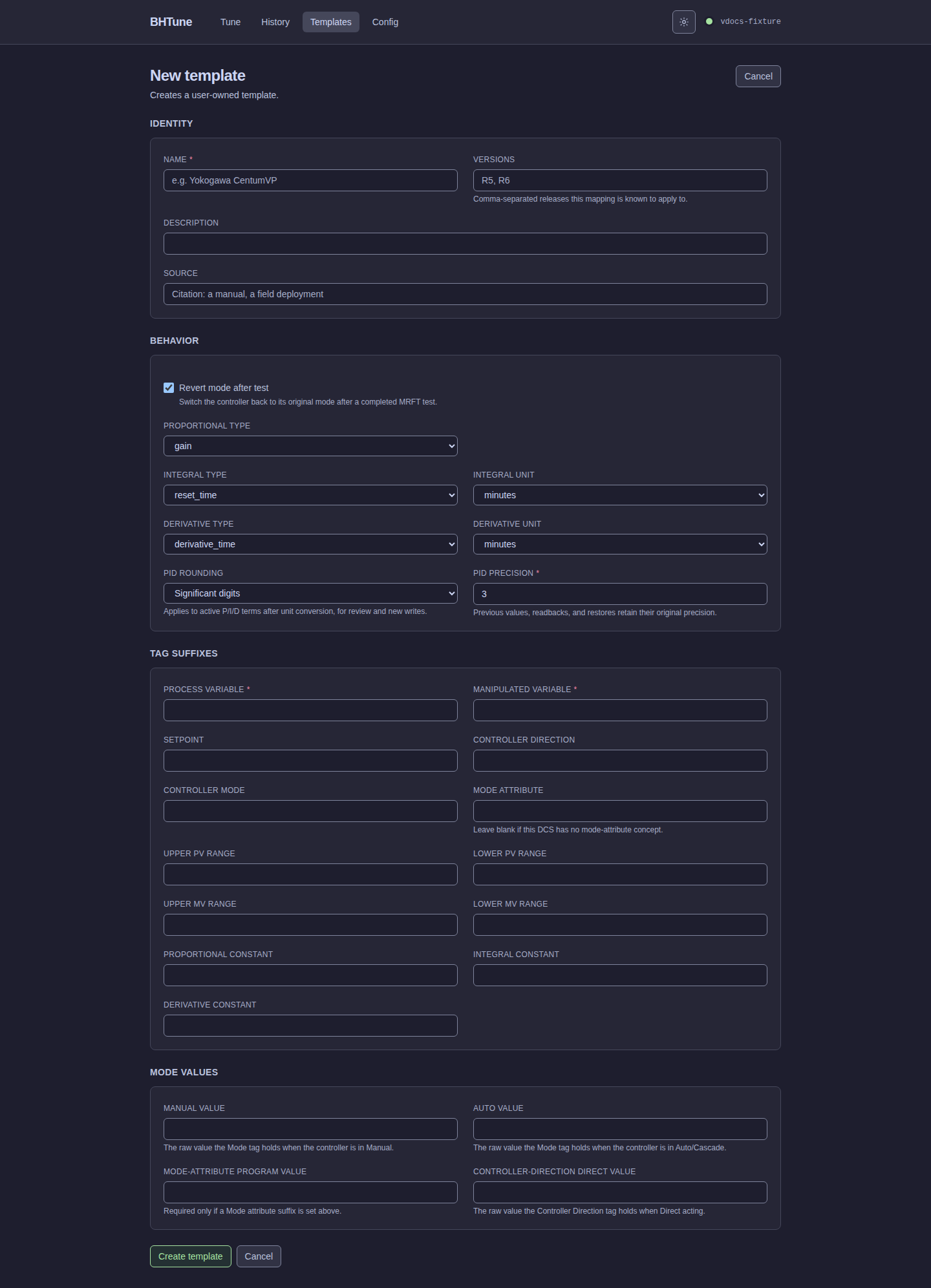
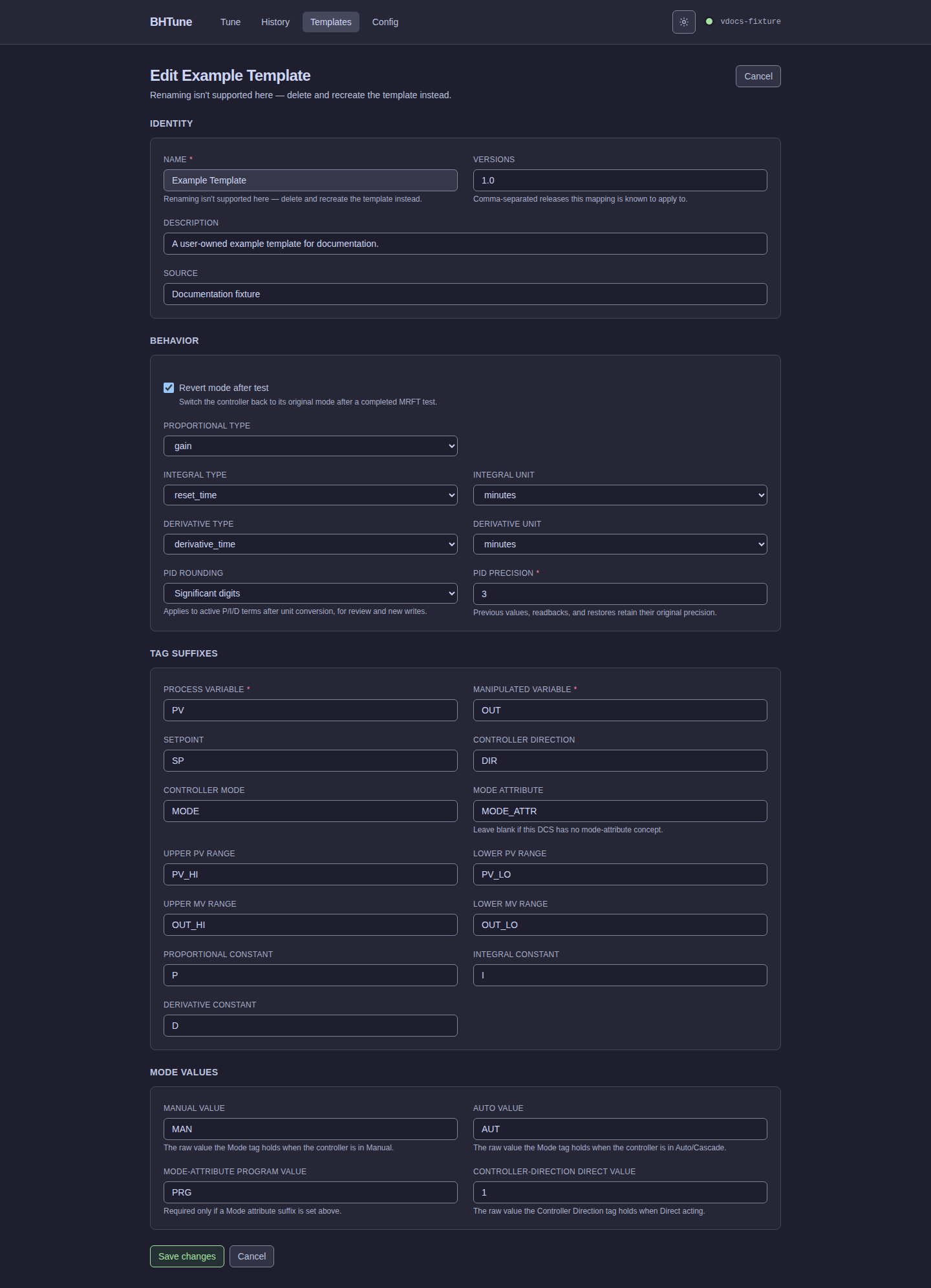
The create and edit forms use the same grouped fields as the read-only detail view. A user's template name is immutable during editing; rename by deleting and recreating it instead.
PID rounding and PID precision select one policy for active P/I/D terms after unit conversion: 0-7 decimal places or 1-7 significant digits. New custom templates start at three significant digits; Yokogawa's built-in policy is one decimal place. Built-in and catalog policies are managed in their source definitions. Each run retains its selected policy, so editing a template affects future runs, not historical results. The policy applies to results, write review, and new writes, never to recorded originals, readbacks, or restoration.
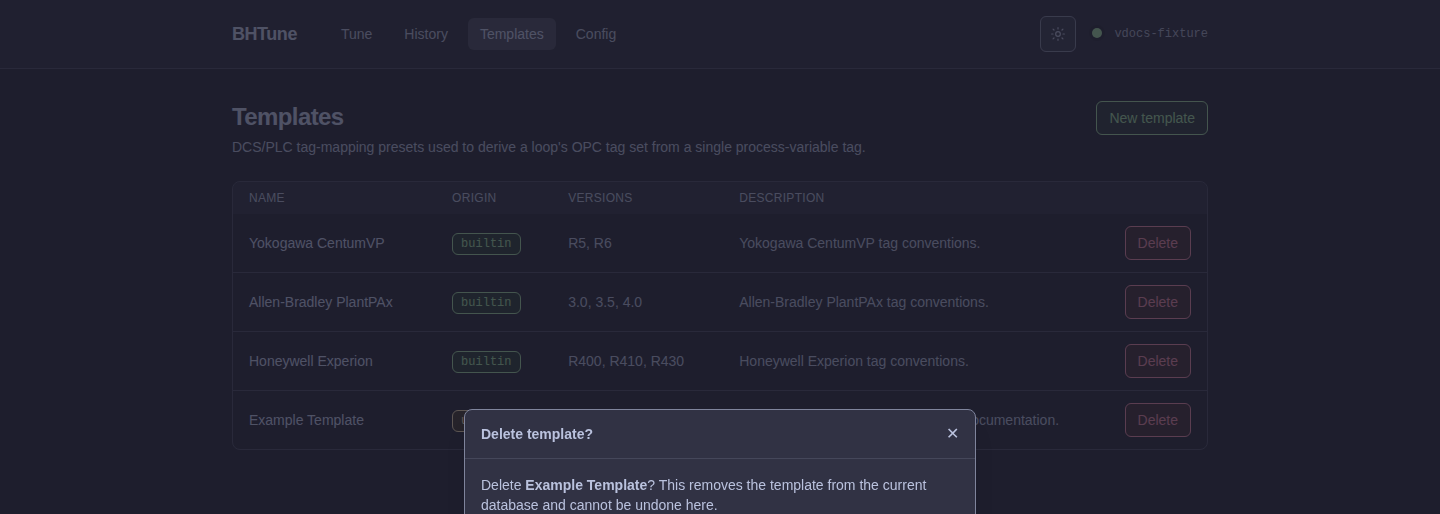
Deleting a user-owned template uses a styled confirmation dialog. A failed request leaves the template in the list and keeps the dialog open with an inline retryable error; the retry is performed in that same dialog and only a successful response removes the row. Built-in and catalog templates are protected from ordinary user-template deletion flows, and their source definitions cause them to return on the next startup if a source-backed row is removed.
For the complete field reference, catalog format, validation rules, and the
Area01.FIC101.OUT to Area01.FIC101.PV suffix example, see
DCS/PLC templates.
Configuration
The Configuration page edits the same bhtune.toml used by the CLI and server. It exposes
global Uncertain-quality policy and history retention, along with tuning timing and safety
settings. Startup-only values such as the database path, bind address, log directory, and
template-catalog path remain file/configuration settings.
There is one TOML configuration source, not a separate browser settings database. CLI flags take precedence over environment variables, then TOML, then built-in defaults. Missing auto-discovered files mean defaults; an explicitly selected missing file or malformed existing file is an error. See the generated reference and CLI flags for the full shape and overrides.
Saving preserves comments and unknown keys, validates the candidate, backs up an existing
file, and replaces it atomically. A stale revision returns 409 instead of overwriting an
external edit: reload, review the newer configuration, and reapply the intended change.
Effective timing/quality policies are captured for an operation; changing configuration does
not reinterpret a run already in progress or its recovery policy.
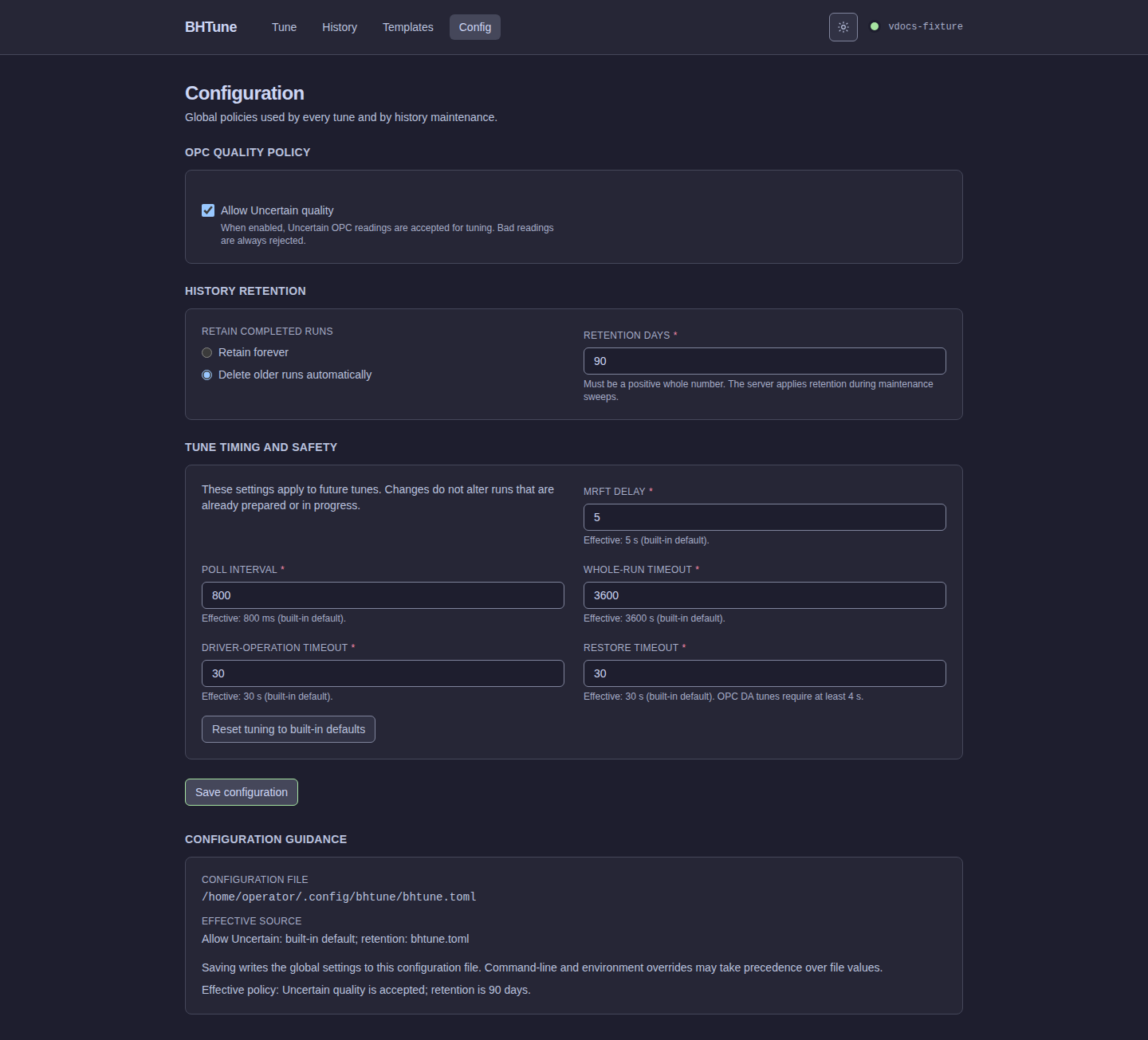
Good readings always pass. Uncertain readings follow the global policy, which defaults to allowed; Bad readings are always rejected. The policy is captured with each run and write/ revert operation, so a later configuration change cannot reinterpret existing history.
Retention is age-based and off by default. Saving a new retention value changes future sweeps;
it does not immediately delete history. The server periodically applies the active policy, and
the CLI exposes the same policy through bhtune history prune.